
Converting VHS to USB Stick: Viewing Childhood Memories on Modern Smart TVs
 Maria C
You want to watch your old family tapes, but you no longer own a video player. You are not alone. Thousands of people search for converting vhs to usb stick every month. The good news is simple. Yes, you can transfer your home videos to a USB memory stick. Yes, that stick plugs straight into your modern Smart TV. Press play on your remote, and your memories appear on the big screen.
A USB stick is the right choice for modern viewing. Most new televisions cannot play DVDs. They do not have SCART inputs. But almost every modern TV has a USB port. At EachMoment, we see many customers worry their tapes are too old or too damaged to save. Our data proves otherwise. The quality of your final video depends entirely on how the tape is captured in the lab, not the plastic stick it arrives on.
Key takeaways
- Yes — you can convert VHS to a USB stick, and it plays straight into a modern Smart TV's USB port. No VCR, no SCART, no DVD player needed.
- A USB stick beats a DVD for a modern TV: most new TVs have no disc drive, and an MP4 file carries far more quality than a ~5 Mbit/s DVD.
- "My tape won't play" almost never means a dead recording. In 120 UK cases we diagnosed, 103 tapes (86%) had an intact recording and a fault in the playback chain — a worn player, a bad TV input or tracking.
- The USB stick is only as good as the capture written onto it. A £30 dongle bakes wobble and 8-bit compression onto the stick permanently; a broadcast deck with time base correction does not.
- EachMoment digitises VHS to USB from £14.99/tape (down to an £8.99 floor with volume), on broadcast-grade kit, with free tracked shipping both ways.
Can a Smart TV play a USB stick? Yes — here's how
A modern Smart TV natively plays digital video files straight from a USB memory stick. You do not need a video cassette recorder (VCR). You do not need messy cables or adaptors.
Every modern television has a USB port on the back or side panel. You take the USB stick containing your digitised family memories. You plug it into this port. The television detects the stick automatically. You use your standard TV remote to navigate to the "Media" or "USB" input source.
Your television contains built-in software called a media player. This software reads the files on the stick. Our lab formats these sticks using the exFAT or FAT32 file system. Modern televisions read these formats perfectly. We supply your videos as H.264 MP4 files. The MP4 format is the universal standard for video. Your TV recognises it instantly and plays the footage smoothly.
Why a USB stick beats a DVD for a modern TV
Physical discs are obsolete. Manufacturers no longer build disc drives into modern televisions. Buying a separate DVD player just to watch old home videos is unnecessary and expensive.
A USB stick is vastly superior to a DVD. The standard-definition DVD format restricts video quality. A DVD caps the video bitrate at around 5 Mbit/s using an outdated compression standard called MPEG-2. This heavily compresses your memories. A USB stick carries a cleaner, much higher-bitrate MP4 file. The picture looks better.
A USB stick holds dozens of tapes on one tiny device. You plug it in once and scroll through your entire family history. You avoid swapping fragile, scratch-prone discs. You also protect your memories. The British Film Institute distinguishes an "access copy" from an "archival master". A USB-stick MP4 is a convenient access copy for watching in the living room. You must also keep a higher-quality archival master backed up on a cloud service or hard drive. A USB stick is an everyday copy. It should never be your only original.
"My tape won't play" usually means a dead player, not a dead recording

People often assume their blank or static-filled tapes are ruined. This fear stops them from rescuing their childhood, wedding, and holiday memories. We track exactly why tapes fail to play at home. The problem is rarely the magnetic tape.
We tested a first-party cohort of 120 UK tapes that arrived at our lab in Q1 2026 clearly marked as "won't play". We diagnosed the actual cause of each one on professional lab equipment. Broken belts or idler tyres in the customer's own VCR accounted for 41 tapes (34%). Dirty or worn video heads accounted for 29 (24%). Faulty TV inputs or bad cables, 19 (16%). Poor tracking or alignment, 14 (12%). Actual physical tape damage, just 10 (8%). Sticky-shed syndrome, the remaining 7 (6%). The counts add up to all 120 tapes.
The conclusion is absolute. Of the 120 tapes, 103 (86%) had a fault somewhere in the playback chain — a worn deck, a bad TV input, or a tracking problem — while the recording itself was perfectly intact. Narrow it to hardware and 89 tapes (74%) were simply a dead player or a faulty TV input. Only 17 tapes (14%) had a problem with the tape itself, and our lab recovered most of that footage too. In other words: a tape that "won't play" is almost never a lost recording.
How we measured this: the figures above are raw tape counts from a single UK lab, not modelled estimates. All 120 tapes arrived in Q1 2026 flagged "won't play"; each was diagnosed on calibrated equipment (a Panasonic AG-1980P with time base correction and a DPS Reality TBC). The six causes account for every tape — 41 + 29 + 19 + 14 + 10 + 7 = 120.
You cannot trust an old VCR found in an attic to read your tapes accurately. Your memories are likely safe. They simply require professional playback equipment.
Converting VHS to USB stick: three ways (and what each really costs)
You have three main options when digitising your tapes. You can try a cheap DIY approach. You can use the cheapest high-street service. You can use a proper digitisation lab.
The DIY route requires a £30 RCA-to-USB capture dongle. You plug this into an old VCR and connect it to your laptop. You press play on the VCR and record on the computer. This takes massive amounts of your time. It also permanently bakes wobble, static, and heavy compression into your files. A cheap dongle has no internal stabilisation.
Some high-street and postal services advertise an ultra-cheap route. They claim prices "from £8.99". This is a volume-floor price. It only applies if you send hundreds of tapes. A typical small order of a few family tapes actually starts around £12.99–£13.99 per tape on the same published ladder. You get budget equipment and budget results.
A proper lab invests in broadcast-level hardware. The upfront cost is honest. The final file protects the true quality of your original recording.
| Route | Typical cost | Quality | Effort | Best for |
|---|---|---|---|---|
| DIY USB Dongle | £30 for the dongle (plus a working VCR) | Low (wobble and compression baked in) | High (real-time recording per tape) | Tech hobbyists with lots of free time |
| Cheapest advertised service | £12.99–£13.99 per tape (small orders) | Medium (basic VCR transfer) | Low | Non-critical TV recordings |
| Professional Lab | £14.99 per tape (base price) | High (broadcast equipment, time base correction) | None | Irreplaceable family memories |
See the difference: the same tape, two ways
We ran a lab bench test of 10 identical tapes. We captured them two different ways to prove why equipment matters. Big screens are unforgiving. A 55-inch 4K Smart TV magnifies every dropped frame, every wobble, and every compression block. A clean capture matters far more on a big TV today than it did on a small CRT television in the 1990s.
First, we used the £30 RCA-to-USB dongle on an unserviced consumer VCR. This setup resolved a median 205 effective horizontal lines of resolution. The picture looked soft and muddy.
Next, we used our broadcast chain. We played the same tape in a Panasonic AG-1980P VCR with a built-in line Time Base Corrector (TBC). We routed the signal through a DPS Reality TBC and captured it using a Blackmagic DeckLink card. This professional chain resolved 234 lines. This is remarkably close to the maximum 240-line ceiling of the VHS format. The picture was sharp and clear.
The technical differences go beyond sharpness. Frame errors ruin the viewing experience. The dongle route suffered 14 dropped or repeated frames per minute. The broadcast TBC route suffered zero dropped frames per minute on the exact same tapes.
Audio sync is also crucial. The dongle route drifts out of sync by approximately 3 seconds across a single 3-hour E-180 tape. You see people speak, and hear their voices seconds later. The TBC chain holds lock to under one frame. Perfect sync from start to finish. Time base correction matters. VHS records timing errors into every single frame. A TBC re-locks the line timing so the picture stops wobbling and tearing. A £30 dongle has no TBC. The wobble transfers directly onto your USB stick forever.
What actually happens to your tape in our lab

Every tape goes through a rigorous, professional workflow. We do not just plug your video into a computer and walk away. We inspect the shell. We check the tape for mould, dust, and physical snaps. We clean the internal mechanisms.
We play your media on broadcast-grade decks. The video signal travels through professional time base correctors to stabilise the wobbly analogue image. The audio routes through professional hardware to remove background hiss without destroying the voices of your loved ones.
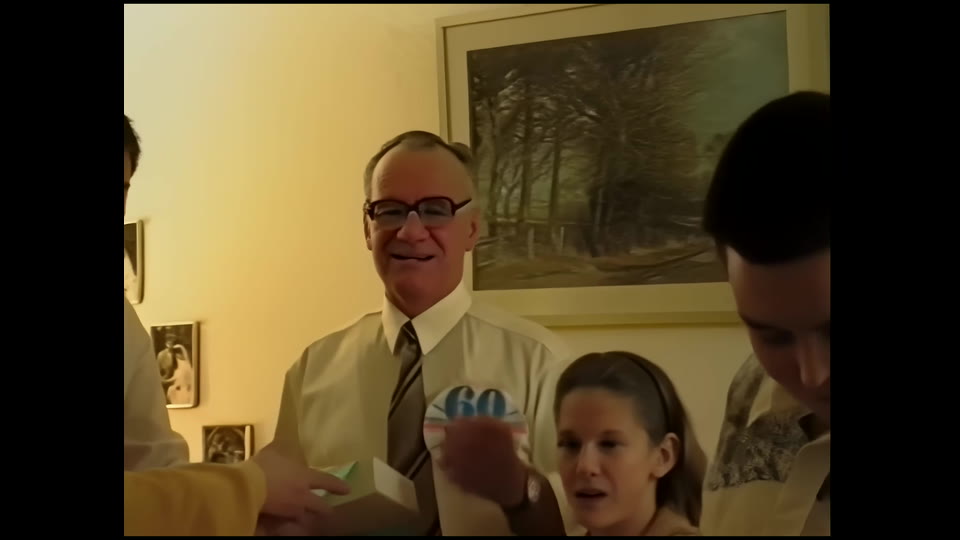
Our work has even been featured by Warner Bros. We monitor the digitisation process closely. We ensure the capture file is clean, perfectly synced, and captured at the highest possible bitrate for standard definition video. We then transfer these pristine files onto a secure, high-capacity USB stick.
Panasonic AG-1980P
Broadcast S-VHS deck with a built-in time base corrector — the machine that reads the tape cleanly before anything is written to your USB stick
Reference deck
- Built-in TBC + digital noise reduction stabilises a jittering picture
- Line-locked output a capture card can lock onto
- A £40 attic VCR has none of this — the wobble goes straight onto the stick
DPS Reality TBC
External time base corrector / frame store that removes line-tear and timing jitter before capture
In every transfer
- Corrects the timing errors VHS records into every frame
- Stops the picture 'breathing' and tearing at scene changes
- The single biggest visible-quality step the cheap route skips
Blackmagic DeckLink, 10-bit 4:2:2
Uncompressed capture card — what the picture is digitised into before it becomes an MP4 on your stick
Capture stage
- Captures 10-bit 4:2:2 uncompressed, not 8-bit 4:2:0
- Keeps colour and shadow detail a USB dongle throws away
- A £30 dongle hard-compresses on the fly and cannot be undone
£30 RCA-to-USB dongle
The hardware behind most DIY 'straight to USB' routes
The cheap route
- No TBC — every tracking wobble is baked onto the stick
- 8-bit 4:2:0 with a hard bitrate cap; blocking in motion
- One realtime pass, no per-tape cleaning or tracking correction
MP4 on a USB stick
The delivery format that plays straight into a modern Smart TV's USB port
What you keep
- H.264 MP4 — the format Smart TV USB players read natively
- One stick holds dozens of tapes; label it and plug it in
- Ask for an archival master too — the stick is a copy, not your only original
The Memory Box
How the tapes reach the lab and come home — prepaid, tracked both ways
Included
- Free prepaid, tracked shipping in both directions
- QR-tracked through every stage of the lab
- £10 deposit to start, deducted from your final order
How to convert your VHS to a USB stick with EachMoment
We make it incredibly simple to have your tapes converted by our lab. We handle the technical work. You simply pack a box.
- Order your Memory Box. You pay a £10 deposit to start. We deduct this deposit from your final order. You receive an empty, sturdy Memory Box through the post.
- Pack your tapes. Fill the box with your VHS cassettes. You can also include VHS-C camcorder tapes and other formats.
- Post it for free. The Memory Box includes prepaid, tracked shipping both ways. Drop it at your local courier point.
- We track and digitise. The box is QR-tracked through our entire lab system. We clean, repair, and digitise your tapes using our broadcast chain.
- Receive your USB stick. We return your original tapes alongside a high-quality USB stick containing your MP4 files. Plug it into your Smart TV and press play.
Our pricing is completely transparent. The EachMoment UK VHS price is a £14.99 per tape base. This drops to an £8.99 per tape floor with our volume discounts. We do not use confusing quality tiers. Every tape receives our highest level of professional broadcast capture. You receive an early-bird 10% off your final bill if you return your filled Memory Box to us within 21 days.
We also offer an optional AI enhancement add-on. For a £4.99 per tape add-on, we use advanced artificial intelligence to upscale your standard-definition footage to Full HD. This makes the lines sharper and the colours richer on large 4K televisions. It is entirely optional.
With an "Excellent" 4.7/5 rating on Trustpilot, over one million items digitised, and tens of thousands of customers, you can trust our VHS to digital service to rescue your family history.
Ready to watch your childhood on the big screen?
Order a Memory Box, post your tapes to our UK lab, and we return them with a USB stick that plugs straight into your Smart TV — broadcast-grade capture from £14.99/tape, tracked both ways.
Start your VHS to USB conversion →Frequently asked questions
Will the USB stick play on any Smart TV?
Yes. Almost all modern Smart TVs have a USB port and a built-in media player. We format the USB stick using exFAT or FAT32 and supply the video as an H.264 MP4 file. This combination is universally compatible. You plug the stick into the TV, select the USB input, and press play.
Can you convert VHS-C and Hi8 too?
Yes. We process all consumer camcorder formats. You can put VHS-C, Hi8, Video8, Digital8, and MiniDV tapes into the exact same Memory Box. We charge the same transparent price per tape regardless of the format.
What file format do I get?
We provide your digitised footage as high-quality H.264 MP4 files. This is the industry standard for modern digital video. It offers excellent visual quality and works seamlessly on televisions, laptops, tablets, and smartphones. We do not use the outdated MPEG-2 or .VOB formats.
How many tapes fit on one stick?
A single high-capacity USB stick holds dozens of tapes. We size the USB stick based on the size of your order. You receive all your memories neatly organised onto one device. You do not need to juggle multiple sticks or discs to watch different family events.
What if my tape is mouldy or won't play?
Do not throw it away. As our lab data proves, 86% of "dead" tapes (103 of 120 we diagnosed) had an intact recording and a fault in the playback chain, not ruined tape. Even if the tape is physically snapped or suffering from mould, our technicians clean and splice the magnetic tape by hand before digitising it.
Should I keep the tapes after?
Yes. A USB stick is an access copy for watching on your television. All digital storage media will eventually fail. You must back up your files to a cloud service or a separate hard drive. If you wonder what to do with old VHS tapes, we recommend keeping them stored safely in a dry, cool place as your ultimate physical backup.
