
Super 8 AI Upscaling to 4K: When Topaz Video AI Beats Standard Telecine
 Maria C
Super 8 AI upscaling to 4K with Topaz Video AI makes old cine film look sharper, but it cannot add detail the film never held. A Super 8 frame is only about 5.79 × 4.01 mm: even Kodachrome 40 at around 55 line pairs per mm records roughly 640 pixels of real detail across it, and a 2K scan already captures that with room to spare. Most of a 3,840-pixel 4K frame is invented. AI beats standard telecine only when it is fed a clean frame-by-frame scan; fed a flickery projector recapture, it enlarges the flaws.
Drag the handle below to see the same reel captured two ways and then enhanced. Further down you will find our own lab measurements on capture stability, a model-by-model guide to Topaz Video AI for cine film, and a plain decision guide on when AI helps and when it harms.
Key takeaways
- A Super 8 frame (about 5.79 × 4.01 mm) holds roughly 640 pixels of real detail across it; a 2K scan captures all of it, so a 3,840-pixel 4K file adds invented pixels, not film detail.
- AI upscalers have no flicker control: in our lab test, a projector recapture varied 13.6% frame to frame versus 2.4% for a frame-by-frame scan (n=83 frames).
- Topaz Video AI beats standard telecine only when it is fed a clean frame-by-frame scan; it then earns its keep on grain, soft focus and medium-sized faces.
- AI makes Super 8 worse on tiny distant faces (Iris invents features), underexposed grain (Artemis turns waxy) and uncleaned scratches, which get sharpened.
- For home viewing, a clean Full HD master is enough: 4K is worth making only for a big-screen showing, and only from that clean master.
- EachMoment delivers Super 8 as Full HD MP4 from £13.49 a reel, with an optional AI enhancement add-on at £4.99 per reel.
What AI upscaling to 4K actually does to a Super 8 frame
The real detail ceiling: about 640 pixels, scanned at 2K
The physical size of the film sets the limit. A Super 8 frame measures roughly 5.79 × 4.01 mm. Kodachrome 40, one of the sharpest Super 8 stocks, resolves around 55 line pairs per mm under ideal conditions. The arithmetic is simple: 5.79 mm × 55 line pairs per mm is about 318 line pairs, and each line pair needs two pixels, so the frame holds roughly 640 pixels of genuine picture detail from edge to edge. Real home movies hold less, because amateur lenses, missed focus and camera shake all soften the image before it ever reaches the film.
That does not mean you should scan at 640 pixels. Film grain is random and much finer than the picture detail, and scanning with plenty of headroom renders that grain cleanly instead of breaking it into jagged digital noise. That is why a 2K scan (2,048 pixels wide) is the practical ceiling for Super 8: it oversamples the real detail around three times over. For comparison, DVD PAL is 720 × 576, Full HD is 1,920 × 1,080 and 4K UHD is 3,840 × 2,160, four times the pixels of Full HD. Push Super 8 to 4K and the software has to create millions of pixels that were never on the film. 4K is a display format, not a measure of what is on your reel.
Detail versus pixels
There is a vast difference between optical detail and digital pixels. Artificial intelligence models predict plausible textures based on their training data. This process is generative. It does not recover lost information; it builds new information that looks correct to the algorithm. On film, the grain structure contains the actual picture information. A model that replaces this grain with smooth, synthetic "detail" is replacing your family's film with its best guess. In certain areas of the frame, such as blank walls, clear blue skies, or uniform grass, this synthesis is harmless and visually pleasing. However, when the software rebuilds complex geometry like human faces, fine text on shop signs, or the number plates of classic cars, the invention becomes obvious and destructive. Generating a smooth 4K image by destroying the underlying grain fundamentally changes the nature of the film.
Why the capture matters more than the upscaler
The method used to extract the image from the film dictates the quality of the final result. In this article, “standard telecine” means the real-time transfers most families have actually had done: the film is run through a projector and filmed off a screen with a camcorder, or fed through a basic real-time telecine box. (Broadcast telecine machines of the past were far better engineered, but they are not what budget services or home set-ups use.) This creates two problems at once: the projector's rotating shutter pulses the light, and silent Super 8 running at 18 frames per second beats against a camera recording UK PAL video at 25 frames per second. The result is flicker baked into every frame. In contrast, our frame-by-frame scanning uses a Kinograph scanner to photograph each frame individually on a steady LED light source, completely eliminating the projector shutter mechanism and the resulting frame-rate clash.

Our lab bench shows how much the capture method affects stability. We measured one 1960s 8mm reference reel: 83 consecutive frames from a native frame-by-frame scan, the same frames put through a simulated projector recapture, and that recapture after a two-pass FFmpeg deflicker. Each frame's average brightness was read with FFmpeg signalstats. The frame-to-frame brightness variation, measured as the luma coefficient of variation, was 13.6% on a standard projector recapture. When we applied a two-pass software deflicker to that same recapture, the variation dropped to 3.2%. However, on a native frame-by-frame scan, the variation was just 2.4%. Software gets you close to the frame-by-frame floor but never below it. An upscaler is not built to remove this kind of flicker: it works on detail, not on the exposure pulsing between frames. If you feed a flickery file into an AI engine, you receive a perfectly sharp, highly detailed flickery file.
Our processing chain at EachMoment operates in a strict, quality-controlled order. We begin with a native frame-by-frame capture to secure the most stable optical foundation. Next, we apply software deflicker and stabilisation to settle the exposure pulsing and gate weave recorded by the original camera. We then perform manual colour correction to restore faded dyes and balance the exposure. Only after these structural steps do we apply our optional AI enhancement add-on. Finally, we render the finished product as a universally compatible Full HD MP4 file. This strict sequence ensures the AI model operates on the cleanest possible data.
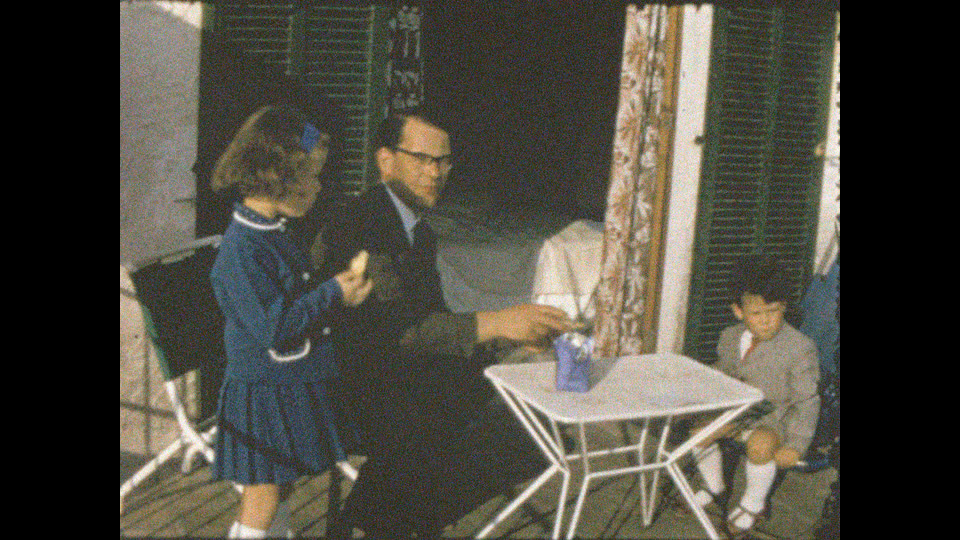
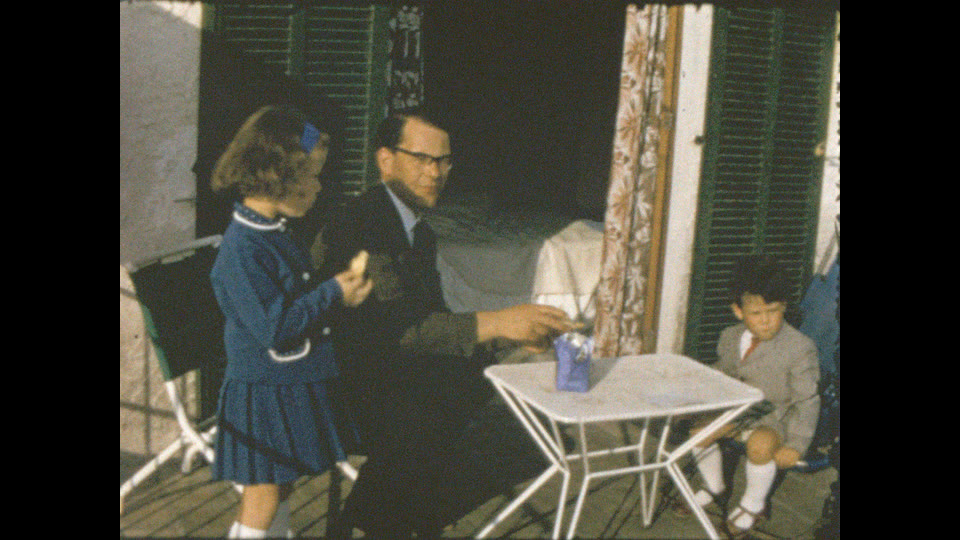
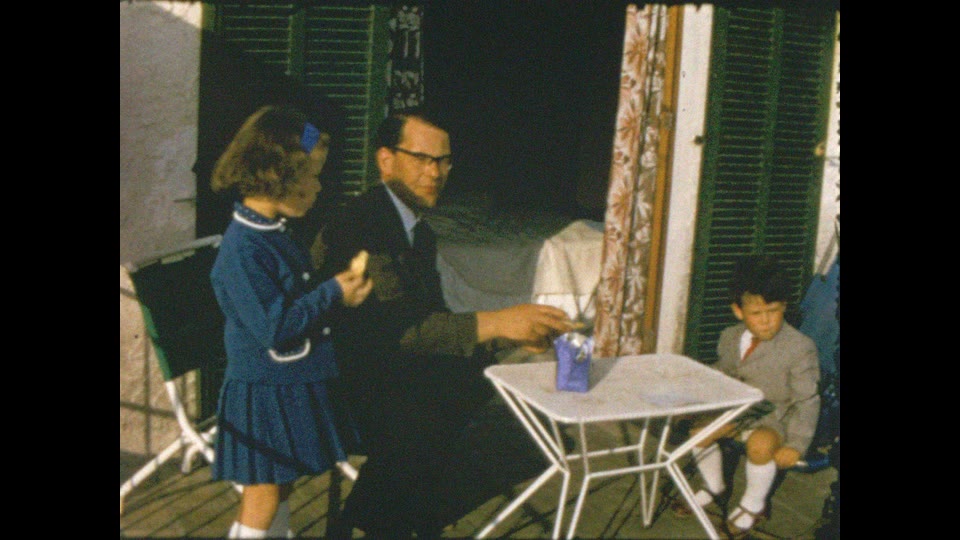
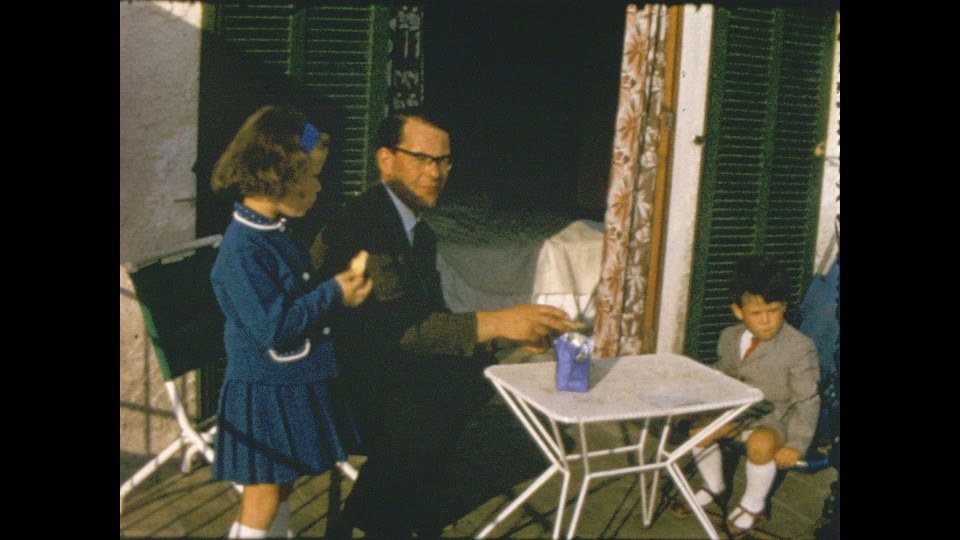
Understanding the difference between capture methodologies is critical before attempting to upscale Super 8 to 4K. For a comprehensive technical breakdown of these capture methods, you can read our guide on frame-by-frame vs real-time telecine compared.
When Topaz Video AI beats standard telecine
Grainy but well-exposed reels
When you have a reel from a bright seaside holiday, the exposure is usually excellent, but the film stock itself introduces heavy grain. Topaz Video AI excels here through its advanced temporal denoising capabilities. The software analyses multiple frames simultaneously, distinguishing random film grain from the persistent structural details of the scene. It effectively tames the heavy grain without smearing the underlying textures of sand, water, and clothing. The result is a smooth, vibrant image that retains the authentic character of the seaside location while removing the distracting visual noise that standard real-time telecine would simply record and amplify.
Soft focus and soft lenses
Consumer Super 8 cameras frequently suffered from inexpensive, soft lenses, and amateur operators often missed the focus on critical moments like a fast-moving wedding exit. AI enhancement models tighten the soft transitions between subjects and backgrounds, restoring edge contrast that a soft lens smeared across the frame. This is edge definition, not new detail: the shapes were on the film, just blurred. By restoring lost edge definition around the bride's dress or the guests' faces, the software rescues footage that otherwise looks muddy. Standard telecine transfers merely reproduce this soft focus with added digital artefacting, whereas a clean frame-by-frame scan paired with selective AI enhancement delivers a dramatically clearer representation of the event.
Medium-sized faces
AI models perform exceptionally well on medium-sized subjects, such as a group gathered closely around a birthday cake. In these compositions, the faces are large enough to provide the algorithm with adequate structural data—eyes, noses, and mouths are clearly recorded in the original emulsion. The enhancement software successfully sharpens these features, bringing out expressions and making the subjects look remarkably present. Because the baseline data is solid, the software does not need to invent facial structures, avoiding the unsettling distortions that occur when AI attempts to rebuild faces lacking sufficient pixel density in the source scan.
Producing a crisp Full HD file
When viewing a family garden party on a modern, large-screen television, a standard real-time telecine transfer often looks soft, washed out, and difficult to watch. Applying an AI enhancement pass to a steady frame-by-frame scan bridges the gap between mid-century analogue film and contemporary digital display standards. The process yields a crisper Full HD file that maintains the charm of the original footage while presenting it with the sharpness modern eyes expect. On this high-quality source material, a conservative AI pass is the definitive difference between "old film" and "watchable film".
When AI upscaling makes Super 8 worse
- Tiny distant faces: Face models such as Iris invent features when confronted with insufficient data. A grandmother standing in the distance turns into an unrecognisable figure because the algorithm gives her a stranger's eyes and mouth.
- Waxy grain removal: On severely underexposed or excessively grainy reels, Artemis-style denoise algorithms fail to separate signal from noise. They smear the grain structure completely, resulting in a waxy, plastic look that ruins the texture.
- Sharpened scratches and dust: Dirt, hair, and physical emulsion scratches are high-contrast elements. AI upscaling software identifies these defects as deliberate details and sharpens them aggressively. They need cleaning and physical repair first.
- Flicker untouched: Upscaling models work on detail, not on exposure. The brightness pulsing baked into a projector recapture survives the upscale, and sharper frames make it more noticeable, not less. Flicker has to be fixed at capture or with a dedicated deflicker pass.
- Over-sharpened haloes: When applied too strongly, AI upscaling creates harsh, glowing haloes around high-contrast edges, such as dark trees against a bright sky, making the footage look artificial and processed.
In our lab, we adhere to a strict rule: clean and repair first, enhance second. Every reel is physically prepared before capture. Every reel in our Super 8 digitisation service is then scanned frame by frame to give a stable, graded master. Only then do we apply enhancement, and a trained technician always checks the AI output against the untouched scan to ensure we have not compromised the integrity of the footage.
Which Topaz model for cine film?

Topaz Video AI provides a variety of processing models, each trained for specific types of degradation. Selecting the correct model is the difference between a respectful restoration and a ruined file.
Kinograph frame-by-frame scanner
Capture — Super 8 / Standard 8
Lab
- Sprocketless, one still per frame
- Steady registration, no projector flicker
- Graded, then delivered as Full HD MP4
Topaz Video AI — Proteus
General enhancement
Software
- Manual control of detail, noise, sharpening
- Best all-rounder for cine grain
- Used conservatively on faces
Topaz Video AI — Artemis
Denoise + sharpen
Software
- Tuned for noisy low-res sources
- Can smear grain into a waxy look
- Only after cleaning and grading
Topaz Video AI — Iris
Face-focused recovery
Software
- Best on medium-sized faces
- Can invent features at tiny sizes
- Checked frame-by-frame by a technician
Topaz Video AI — Dione
Deinterlacing
Software
- Built for interlaced video tape
- Not needed on film scans
- Sign of a video-first workflow
FFmpeg pipeline
Deflicker, stabilise, grade
Lab
- Two-pass deflicker
- Registration stabilisation
- Colour-cast correction
Proteus with conservative settings is the usual cine choice in our lab, as it allows granular manual control over noise, sharpness, and detail recovery. We employ Artemis only after thorough physical cleaning and colour grading, specifically for reels that require aggressive noise reduction without face recovery. We use the Iris model only when faces fill a meaningful part of the frame, ensuring the algorithm has enough data to avoid hallucinating features. Finally, Dione models are strictly designed for deinterlacing interlaced video tape. Film scans are progressive by nature, so any lab applying Dione to Super 8 is signalling a video-first workflow that fundamentally misunderstands the medium. Topaz has since added newer models such as Rhea, Nyx and the diffusion-based Starlight; the same rule applies to all of them: the more generative the model, the more it invents, so the cleaner the scan you feed it has to be.
How to get a 4K-ready Super 8 file: step by step

- Inspect and clean the film. We check every splice and clean the surface; you must never project brittle or vinegar-smelling reels as this destroys the film.
- Scan frame by frame, then set the right playback speed. A sprocketless Kinograph scanner photographs each frame on its own, with no projector shutter; the files are then set to play at the reel's original 18 frames per second rather than being forced to 25.
- Deflicker and stabilise. We apply digital tools to eliminate the physical camera jitter and ensure the brightness remains perfectly consistent from frame to frame.
- Grade colour and correct fading. A technician manually adjusts the black levels, white balance, and colour saturation to counter decades of chemical degradation.
- Apply AI enhancement conservatively and compare against the untouched scan. We dial in the Proteus parameters to sharpen details and reduce grain, constantly cross-referencing the original capture to prevent artificial generation.
- Export a Full HD master and keep it. We deliver this clean master; you should upscale a copy to 4K only for a specific big-screen use, rather than discarding the authentic Full HD foundation.
DIY Topaz or lab AI enhancement?
| Factor | DIY (home capture + Topaz) | EachMoment lab |
|---|---|---|
| Capture method | Projector recapture or cheap telecine box | Sprocketless frame-by-frame Kinograph |
| Flicker control | None (upscaler ignores flicker) | Dedicated software deflicker |
| Colour grading | Basic auto-levels in software | Manual correction by technicians |
| AI enhancement | Automated presets | Supervised Proteus/Iris application |
| Output | Flickery, over-sharpened MP4 | Clean, stable Full HD MP4 |
| Cost per 3-inch reel | Your time, a software licence and hours of GPU time | £13.49, plus £4.99 for AI enhancement |
| Risk to the film | Projector heat and worn gates on brittle film | Film handled by technicians, never projected |
Lab pricing is per reel, by reel size. We charge £13.49 for a 3-inch reel, £22.49 for a 5-inch reel, and £29.69 for a 7-inch reel. For larger collections, our volume pricing falls as low as £8.99, £14.99, and £19.79 respectively. For heavily damaged or exceptionally precious footage, we offer Full Studio Enhancement, which is the same forensic process used for a Warner Bros. project; this is quoted after we assess the reel. For a comprehensive look at how we calculate our prices, read our full breakdown of Super 8 digitisation costs.
Getting started is simple. When you order your Memory Box (which requires just a £10 deposit), you simply tick the AI enhancement box next to any reel on the Name Sheet. Alternatively, you can add it later from your order dashboard once we receive the box. Your films come back as Full HD MP4 files in a secure, private Cloud Album. EachMoment is rated 4.7 on Trustpilot and has digitised over one million items for tens of thousands of customers.
Do you actually need a 4K Super 8 file?
For most families, a 4K Super 8 file is unnecessary. A standard 4K TV contains its own upscaling processor designed to stretch a Full HD file to fit the screen. When our frame-by-frame Super 8 transfer gives it a stable, clean Full HD master, your television does that job well. The visible difference between a clean Full HD master and a 4K upscale of that same master is remarkably small when watching typical family footage.
Rendering a 4K file directly is worth doing only for a professional cinema-screen showing or a high-end documentary edit, and even then, that upscale must be generated from the clean frame-by-frame master, never from a projector recapture. That is why we deliver Super 8 in Full HD: for home viewing, a 4K file adds storage, not picture. Furthermore, if you are dealing with Standard 8 reels, which have an even smaller physical frame than Super 8, this logic applies even more strongly. The foundation of digital preservation is securing the authentic optical detail, not inflating pixel counts.
Ready to digitise your Super 8 the right way round?
Order a Memory Box, post your reels to our lab, and we scan every frame, deflicker, grade and — if you tick the box — AI-enhance them. From £13.49 per reel, plus £4.99 for AI enhancement.
Order your Memory Box →Frequently asked questions
Can AI upscale Super 8 film to 4K?
Yes, software can upscale Super 8 to 4K, but most of the 4K file is invented pixels. A Super 8 frame holds roughly 640 pixels of real detail across it, and a 2K scan already captures all of it. Stretching that to a 3,840-pixel 4K width makes the AI generate the rest. A clean Full HD file from a frame-by-frame scan holds nearly all of the real detail.
Is Topaz Video AI good for Super 8?
Topaz Video AI is highly effective for Super 8 only when fed a steady, frame-by-frame scan. It excels at temporal denoising and recovering edge definition lost to soft lenses. However, if fed a flickery projector recapture, it simply sharpens the dirt, flicker, and blur, making the footage look significantly worse.
What resolution should Super 8 be scanned at?
Scan Super 8 frame by frame at up to 2K (2,048 pixels wide). The film holds roughly 640 pixels of real detail across the frame, so 2K oversamples it about three times, enough to render grain cleanly. Scanning higher records the grain in finer detail but reveals no extra picture. A Full HD delivery file (1,920 × 1,080) keeps nearly all of that detail.
Does AI upscaling remove flicker from Super 8?
No AI upscaling software removes flicker from Super 8. Flicker is a capture problem caused by the projector shutter and frame-rate clashes. Upscalers process the file they are given; they do not stabilise brightness. Flicker must be eliminated through a sprocketless frame-by-frame capture and dedicated deflickering software.
Which Topaz model is best for old cine film?
Proteus is the most reliable Topaz model for old cine film because it allows manual control over detail recovery and noise reduction, which makes it easy to keep the result restrained. Artemis can be used for aggressive noise reduction on clean reels, while Iris is suitable only when medium-sized faces fill a significant portion of the frame.
How much does AI enhancement of Super 8 cost in the UK?
At EachMoment, the AI enhancement add-on costs £4.99 per reel on top of digitisation, which starts at £13.49 for a 3-inch reel, £22.49 for a 5-inch reel and £29.69 for a 7-inch reel. Volume pricing brings a 3-inch reel down to £8.99. Full Studio Enhancement for badly damaged film is quoted after we assess the reel.
Will AI enhancement change my family's faces?
AI enhancement will alter faces if the subjects are too small or distant in the frame. Models predict geometry based on training data, meaning a distant face can be replaced with artificial, unrecognisable features. We apply AI conservatively on medium-sized faces where adequate optical data prevents these unsettling distortions.


