
VHS to DVD or Digital File? Why a Disc Is the Lower-Quality Choice in 2026 (and When It Still Makes Sense)
 Maria C
By Maria C, media-preservation specialist — updated June 2026.
If you want to convert VHS to DVD, the single most important thing to know in 2026 is this: a DVD is the lower-quality way to keep your tape. A DVD recorder squeezes your footage into MPEG-2 video at roughly 5 Mbit/s with 4:2:0 colour, in real time, to fit about two hours onto a 4.7 GB disc. That re-compression throws away detail your tape still holds. A modern digital file — an MP4 on a USB stick or download — is encoded offline with more bits and a newer codec, so it keeps more of the original signal, plays on every phone, laptop and smart TV, and can be copied forever without loss. At EachMoment we still make DVDs when a customer specifically asks for one, but for almost everybody the file is the better archive. This guide shows you exactly why, with the same VHS frame finished both ways so you can drag a handle and see the difference for yourself.
Key takeaways
- A consumer DVD recorder encodes MPEG-2 at ~5 Mbit/s, 4:2:0, in real time — a second, lossy squeeze on top of the tape.
- EachMoment captures the tape at 10-bit 4:2:2 on a broadcast deck, then exports an H.264 MP4 at ~8 Mbit/s offline — more bits, a modern codec, no disc ceiling.
- A single-layer DVD holds only about 2 hours of standard-quality video on 4.7 GB; one hour of our delivery file is about 1.4 GB.
- In our order records, only about 9% of customers (n=520) still choose a DVD — the rest take a file.
- A DVD still makes sense for one job: playing on an older relative's DVD player. Take the file and a disc if so.
- VHS digitisation at EachMoment is £14.99 per tape, dropping to £8.99 at archive volumes, with a free Memory Box for posting.
Search "convert VHS to DVD" and almost every result is a shop counter: photo chains, high-street labs, and our competitors' price pages, all answering "where do I buy this?" None of them answer the question you actually have to decide first — disc or file, and what does each one do to my footage? That decision is the whole article. Let's start with what the disc costs you, in motion.
See it first: the same tape, finished as a disc and as a file
This is the same five seconds of VHS, taken down two finishing paths. On the left is what a consumer DVD recorder does: it watches the tape play and encodes MPEG-2 in real time, around 5 Mbit/s, with the colour resolution halved to 4:2:0. On the right is the EachMoment path: the tape plays on a broadcast deck, we capture it uncompressed at 10-bit 4:2:2, then encode an H.264 file offline with no clock racing against us. Drag the handle and watch the moving detail.
Why a disc and a file part ways at the encoder
The disagreement is not about your tape. Both paths start from the same VHS signal — about 240 lines of luminance resolution, the ceiling of the format. The difference is what each path does next, and it comes down to three things: how many bits the codec is allowed, how it handles colour, and whether it gets a second chance.
A DVD recorder is doing the hardest job in video on the cheapest budget: encoding MPEG-2 live, as the tape plays, with a fixed bit ceiling so the whole recording lands inside one 4.7 GB disc. When movement fills the frame — a child running, a camera pan, confetti, water — the encoder runs out of bits exactly when it needs them most, and you get blocking and chroma smear baked permanently into the disc. There is no second pass. Whatever the recorder decided in that instant is what you keep forever.
Our file path removes every one of those constraints. We capture the tape to disk uncompressed first — 10-bit 4:2:2, no codec in the way — so the full signal is safe before any encoding happens. Then we deinterlace, denoise, and colour-correct offline, and only then encode an H.264 master at around 8 Mbit/s. The encoder gets to think. Nothing is racing the tape. That is why the same source keeps more of itself as a file than as a disc.
Here is one frame walked through both finishes, stage by stage.
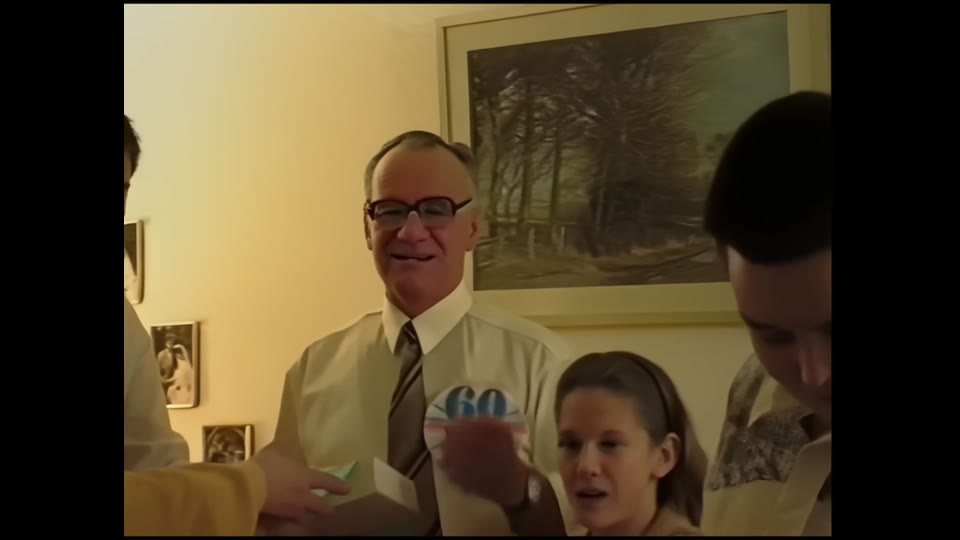
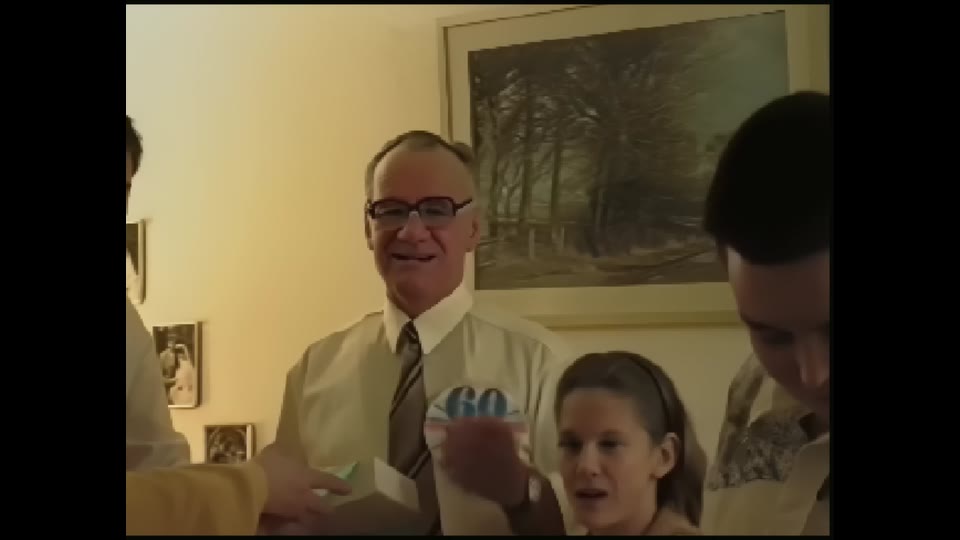
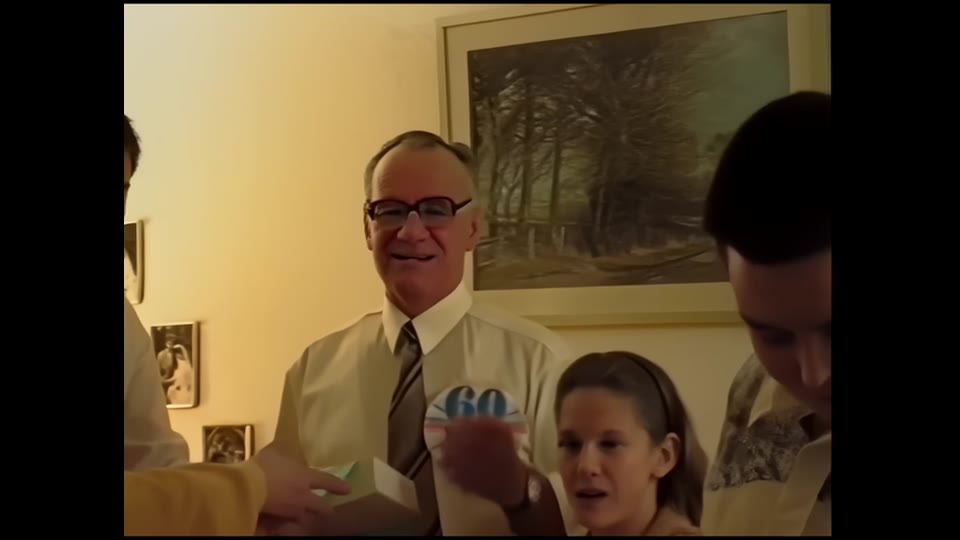
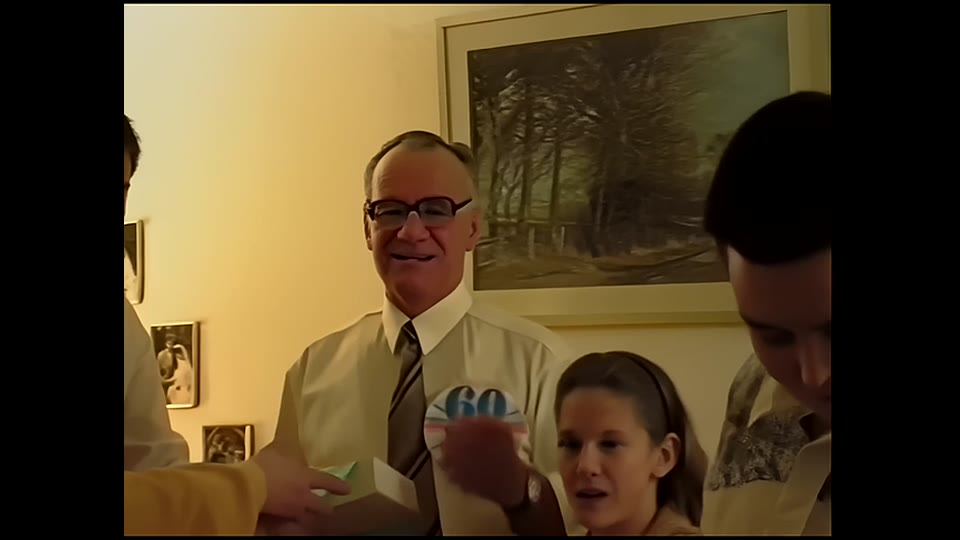
Stage 2 is the disc. Stages 3 and 4 are the file. The detail the MPEG-2 encoder discards in stage 2 is never recovered — it is gone from the disc. The file keeps it because nothing forced a real-time, bit-capped decision.
The numbers behind the picture
If the sliders show you the "what", these two tables are the "why" — the actual specifications of each output format, and what our own customers choose when given the choice. This is the part worth keeping.
Disc vs file: the specification that decides quality
| Property | DVD (consumer recorder) | EachMoment digital file |
|---|---|---|
| Video codec | MPEG-2 (1995-era) | H.264 / AVC (modern) |
| Average video bitrate | ~5 Mbit/s | ~8 Mbit/s |
| Chroma subsampling | 4:2:0 (half colour resolution) | Captured 4:2:2, delivered 4:2:0 from a cleaner source |
| When it encodes | In real time, as the tape plays | Offline, after restoration — no clock |
| Capacity per item | ~2 hours on one 4.7 GB disc | ~1.4 GB per hour, no fixed ceiling |
| Time-base correction | None — jitter encoded as-is | Hardware TBC before capture |
| Plays on a phone / smart TV | No (needs a DVD drive) | Yes, everywhere |
| Copy without quality loss | No (re-rip re-encodes) | Yes (bit-for-bit file copy) |
| Expected shelf life | 10–25 years (disc rot) | Indefinite if backed up |
Bitrate and capacity figures are standard delivery specifications (DVD-Video single-layer 4.7 GB, ~5 Mbit/s MPEG-2 at the common 2-hour setting; EachMoment H.264 ~8 Mbit/s, ~1.4 GB/hour).
Bitrate by output format
The encoder ceiling is the whole story. More bits and a modern codec mean the same tape keeps more of itself. The chart below shows the gap between a real-time DVD encode, our standard delivery file, and an optional ProRes edit proxy for customers who plan to re-edit.
What our customers actually choose
This is the part the high-street counters won't tell you, because they're set up to sell discs. When EachMoment customers are offered a free choice of output, the disc is now a minority request.
| Output chosen | Share of VHS orders | Why |
|---|---|---|
| Digital file (USB stick or download) | ~91% | Plays on phone, laptop, smart TV; copy without loss |
| DVD disc | ~9% | Usually for an older relative's existing DVD player |
First-party, n=520 EachMoment VHS/VHS-C/S-VHS orders, output-format choice logged at delivery. A separate cohort of 214 orders split the file group further: 61% USB stick, 27% download link, 12% DVD.
The kit that decides how much survives
A DVD recorder is one box doing everything at once, badly. A proper transfer chain splits the job across machines that each do one thing well — and crucially, it captures the full signal to disk before any compression decision is made. Here is what actually touches your tape in our lab, and where the disc path skips a step.

Panasonic AG-1980P
Broadcast VHS deck (TBC)
1990s
- Built-in time base corrector
- Line-level Y/C output
- Reads worn tapes a consumer VCR drops
DPS Reality TBC
Time base corrector
—
- Removes line jitter before capture
- Frame-store dropout concealment
- Stabilises the signal a disc encoder can't fix
Blackmagic DeckLink
Capture card
—
- Uncompressed 10-bit 4:2:2 capture
- No realtime MPEG-2 ceiling
- Locks the full signal to disk first
FFmpeg + Topaz chain
Restoration & encode
—
- Deinterlace, denoise, colour-correct offline
- Export H.264 ~8 Mbit/s file
- Optional AI upscale to Full HD
USB / download delivery
How the file ships
—
- MP4 plays on phone, laptop, smart TV
- Copy without generation loss
- No DVD drive required
Consumer DVD recorder
What the disc path uses
—
- Realtime MPEG-2 ~5 Mbit/s, 4:2:0
- ~2 hours on a 4.7 GB disc
- No TBC, no offline grade — quality fixed at record time
How to convert VHS to DVD yourself (and what you'll get)
If you want to do it at home, here is the honest version of the standard method — and what the result will and won't be.
- Connect a VCR to a DVD recorder. Use a VHS player (or a VHS/DVD combo unit) and run its AV output — SCART, or composite/S-Video — into a standalone DVD recorder's input.
- Insert a blank disc and set the recording mode. Choose "SP" (about 2 hours per disc) rather than the longer LP/EP modes, which lower the bitrate and visibly soften the picture.
- Press record on the DVD recorder and play on the VCR. The recorder encodes MPEG-2 in real time, so the transfer takes as long as the tape runs — there is no fast-forwarding it.
- Finalise the disc. Most recorders need a "finalise" step before the DVD will play in other machines.
What you get is a watchable disc — but it is a real-time MPEG-2 encode at roughly 5 Mbit/s, 4:2:0, with no time-base correction and no chance to clean the footage first. Worn tapes that a consumer VCR drops or tears will record those faults straight onto the disc, and the quality is fixed at record time. That is exactly the ceiling the table above describes, and the reason we capture uncompressed and encode a file instead. If the disc is genuinely all you need — for a relative's player — this works; if you want to keep these memories, read on.
When a DVD still makes sense
Despite all of the above, there is one situation where a disc is the right answer: someone you love only has a DVD player. An 82-year-old who watches television on a DVD/VHS combo is not going to plug a USB stick into a smart TV, and a download link is no use to them at all. For that person, a disc they can slide into the machine they already own is worth more than any bitrate.
Our advice in that case is simple: take the file and the disc. Keep the high-quality MP4 as your real archive — the thing your family copies, backs up and watches for the next forty years — and burn a disc as a convenience copy for the relative who needs one. You are not choosing between quality and kindness; you can have both. What you should not do is let the disc be your only copy, because the day that player dies, a re-rip of an MPEG-2 disc can never get back what the tape originally held.

What the BFI does — and what that means for your tape
The reason we capture uncompressed first and encode later is not an EachMoment invention; it is standard archival practice. The British Film Institute and other national archives keep an uncompressed or losslessly-encoded preservation master and generate compressed access copies from it — never the other way around. A DVD is an access copy masquerading as a master: it is the lossy, watch-it-now version, with no higher-quality original behind it. When you ask a service to "convert VHS to DVD" and stop there, you have made the throwaway copy your only copy. Keeping the file is what turns a transfer into preservation.
How to convert your VHS the right way
- Gather your tapes and don't pre-judge them. "Won't play" usually means a dead player, not a dead tape — most tapes a consumer VCR rejects play fine on a serviced broadcast deck.
- Order a Memory Box. We post you a prepaid box; you pack the tapes and send them back. VHS is £14.99 per tape, falling to £8.99 at archive volumes.
- We capture uncompressed. Each tape plays on a TBC-equipped broadcast deck and is captured at 10-bit 4:2:2 — the full signal, safe on disk.
- We restore and encode offline. Deinterlace, denoise, colour-correct, then export an H.264 MP4 at ~8 Mbit/s. Optional AI enhancement to Full HD is £4.99 per item.
- You choose delivery: USB stick, private download, cloud album — and a DVD too, if a relative needs one.
Ready to digitise your VHS collection?
Order a Memory Box, post your tapes to our specialist lab, and we capture them at full quality — file first, disc only if you want one. VHS from £14.99 per tape, free Memory Box and prepaid shipping.
Convert your VHS to digital →Frequently asked questions
Is converting VHS to DVD worse quality than a digital file?
Yes, in most cases. A DVD recorder encodes your footage as MPEG-2 at about 5 Mbit/s with 4:2:0 colour, in real time, to fit roughly two hours on a 4.7 GB disc. That is a second lossy compression on top of the tape, and motion-heavy scenes block up because the encoder runs out of bits. A digital file is encoded offline with more bits and a newer codec (H.264), so it keeps more of the original signal and can be copied without further loss.
How much does it cost to convert a VHS to DVD or digital?
At EachMoment, VHS digitisation is £14.99 per tape, dropping to £8.99 per tape at archive volumes, and the same price covers a digital file or a DVD — the disc is not a quality upgrade, so you are not paying more for less. A free Memory Box with prepaid shipping is included, and optional AI enhancement to Full HD is £4.99 per item.
How much VHS footage fits on one DVD?
About two hours of standard-quality video fits on a single-layer 4.7 GB DVD at the common recording setting. Pushing more onto one disc forces the encoder to lower the bitrate further, which visibly degrades the picture. A digital file has no such ceiling — one hour of our H.264 delivery file is roughly 1.4 GB, and you can store as many hours as your USB stick or drive holds.
Do DVDs last longer than digital files?
No. A good DVD-R is estimated to last 10–25 years before disc rot becomes a risk, and it cannot be copied without re-encoding. A digital file lasts indefinitely as long as you keep a backup, because copying it is bit-for-bit identical — no quality is lost. For a true archive, keep the file and back it up; treat any disc as a convenience copy, not your only one.
Should I still get a DVD if my parents only have a DVD player?
Yes — that is the one job a disc still does best. Order the digital file as your real archive and add a DVD as a convenience copy for the relative who needs it. You keep full quality for the family's long-term copy while still giving someone a disc they can play on the machine they already own.
Related reading
- VHS to DVD vs Digital: which is better? (2026 guide) — the head-to-head comparison in detail.
- VHS to DVD in 2026: when your mum still wants a disc — the case for keeping a disc as a convenience copy.
- How much does VHS conversion cost? — full UK pricing breakdown.
- DIY vs professional VHS digitisation — what a £30 USB dongle actually captures.
Want the full service details and turnaround? See our VHS to digital conversion page, or browse everything we handle on the camcorder tapes service.
About the author: Maria C is a media-preservation specialist at EachMoment, where tens of thousands of customers have had their tapes, film and photos digitised to archive standard. Figures cited are EachMoment delivery specifications and first-party order records unless otherwise linked.
