
What to Do With Old Slides: Sort, Scan or Let Go

What to do with old slides comes down to five steps: sort them first, look at them without a projector, and keep only the ones that matter. Then scan the keepers yourself or send them to a scanning service, from £0.40 a slide with the full volume discount (£0.79 base). Let go of the rest responsibly and store the originals you keep somewhere cool, dry and dark.
Slides are the largest single kind of image people send us: about 44% of the images in the boxes we receive. Whether you have inherited a few small plastic boxes from a chemist or an entire loft full of loaded carousels, the task can seem daunting. Yet the process is highly logical. By breaking the project down into sorting, selecting, and digitising, you can preserve your family history in a format you can actually view and share today.
Key takeaways
- Sort your slides by keeping them in their original boxes or carousels to maintain their chronological order and context.
- Use a lightbox, tablet, or simple hand viewer to assess the images rather than relying on an old, potentially damaging projector.
- Keep the slides that feature people, family events, and notable places, and cull out blurry shots, duplicates, or unidentifiable landscapes.
- Scan them at home using a flatbed scanner or digital camera setup if you have the time, or use a digitisation service for larger collections.
- Professional scanning costs from £0.40 a slide with the full volume discount (£0.79 base price), and includes cleaning, scratch treatment, and colour correction.
What to do with old slides, in order
- Sort before you scan: Organise your slides into keep, maybe, and discard piles, taking care to preserve the original order of the processing boxes.
- View them safely: Assess the images using a modern, heat-free light source rather than an old projector.
- Decide what is worth keeping: Evaluate the subject matter and the physical condition of the slide, keeping in mind that scanning can correct faded colours.
- Digitise the collection: Convert the physical slides into digital files using home equipment or a professional scanning lab.
- Let go of the rest: Responsibly dispose of the slides you do not wish to keep, and correctly store the original copies of the ones you do.
If you prefer to bypass the home equipment and ensure a high-quality result, sending them to a professional lab is the safer route if the slides matter.
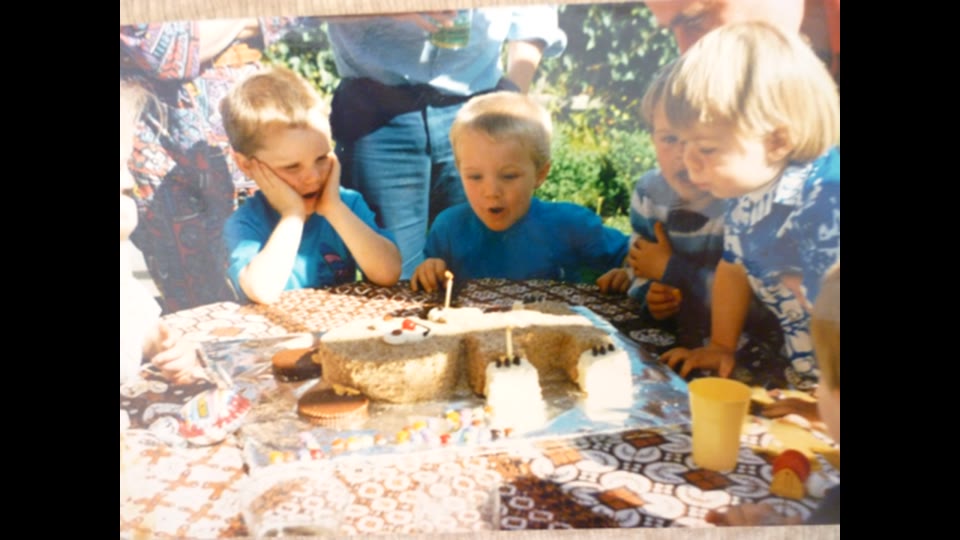
Step 1: Sort before you scan
Get set up
Before you begin handling physical film, prepare your workspace. Clear a dry table and wipe it down completely. It is best to wear clean cotton gloves to avoid transferring the natural oils from your fingertips onto the emulsion layer of the film. Always hold a slide by its outer cardboard or plastic mount, never by the film itself. Ensure you have a good desk lamp or overhead light to read the small handwritten notes that often appear on the mounts.
Sort by box and date, not slide by slide
Resist the temptation to dump all your slides into a single container. Original processing boxes are usually dated or stamped with a month and year, and carousel labels frequently outline a specific holiday or family event. Keep the slides in their original order because that order is information in itself. If you lose the sequence, you lose the context of the trip or event. Review each box as a distinct unit, making your decisions while keeping the broader context of that specific batch in mind.

The three piles: keep, maybe, let go
Because you pay per slide when using a digitisation service, sorting directly saves you money. A typical photo box people send holds about 90 images, but one in ten holds more than 650. Culling a 650-slide box matters significantly to your final cost.
| Pile | What goes in it | What to do |
|---|---|---|
| Keep | Clear images of family members, specific named events, childhood homes, and photos with writing on the mounts. | Set these aside in a dedicated archival box or tray for scanning. Keep them in their original order. |
| Maybe | Landscapes that look familiar but lack people, slightly dark images, or unlabelled slides. | Review these again at the end of the project. If they fit into a known sequence, keep them; otherwise, let them go. |
| Let go | Completely blurry shots, pure black frames, multiple identical duplicates, or generic landscapes with no connection. | Prepare these for responsible disposal or recycling, depending on the mount material. |
Step 2: How to view old slides without a projector
You do not need to drag a heavy projector down from the loft to see what is on a slide. The simplest method is to use a dedicated lightbox or a tablet displaying a blank white screen. Lay the slides flat on the surface and use a small photographer's loupe or magnifying glass to check the faces and details. Holding a slide up to a bright window also works for a quick check, as does a battery-powered hand viewer.
You can hold your mobile phone close to the loupe to snap a photo for quick sharing with a relative to help identify someone. However, this is not an archive copy, and you should read about why photographing the wall or a light source with a smartphone yields poor results compared to proper scanning.
If you do decide to use a vintage projector you found in the loft, proceed with caution. Old projectors get incredibly hot and can warp the film if left on a single frame for too long. They are also prone to mechanical issues. If you are using vintage equipment, check which ones won't jam your 1970s slides to avoid damaging your family archive.
Step 3: Decide what is worth keeping
The subject matter should be your primary guide. Prioritise pictures of people, places that have fundamentally changed, unique family events, and any slide that features detailed handwriting on the mount. These hold the historical value.
Condition also plays a role in your decision. Fading and severe colour casts, where an image turns entirely magenta or blue, are common as the chemical dyes degrade over the decades. However, a good scan can correct a faded colour cast, so do not throw away a great photo of a relative just because it looks purple to the naked eye. Kodachrome film generally keeps its colour better than many other stocks, so you may find some boxes look pristine while others have aged poorly.
Physical condition requires more attention. Dust can be cleaned, but if you attempt it yourself, read how to clean old 35mm slides before scanning so you do not scratch the emulsion. Mould is a more serious issue. It appears as a web-like structure across the film. If you spot this, read about what a lab cleans before scanning. If you find mouldy, sticky, flaking, or glass-mounted slides stuck to the glass, email us before sending them to the lab.
Step 4: Scan them yourself or use a service
Doing it yourself
If you have the technical inclination and a small volume of slides, you can digitise them at home. The main hidden cost of doing it yourself is the sheer amount of time it takes to feed slides in one by one, adjust the exposure, and clean the dust digitally. Read more on how to digitise photo slides before deciding on your route.
| Route | Good for | Watch out for |
|---|---|---|
| Slide-to-digital converter | Speed and simplicity. Operates without needing a computer attached. | Low resolution. Essentially takes a quick internal photograph rather than a true scan. |
| Flatbed scanner with a film lid | High resolution and better colour depth. Good for careful, precise archiving. | Extremely slow process. Requires manual colour correction software. |
| Camera with macro lens and slide copier | Instant capture of RAW files for those who already own a good digital camera. | Requires a perfectly even backlight and significant post-processing skills. |
Using a scanning service

For larger collections, or if you want the best possible image quality without the time investment, a professional service is the standard choice. We have digitised over 500,000 items and are rated 4.7 out of 5 from more than 12,000 customer surveys.
The process starts by ordering a Memory Box, which costs £10. You fill the box with your media and send it to our European lab. There is a tracked courier both ways, and we offer free courier collection above a set order value (see the service page). Your slides can go in carousels, trays, boxes or loose; there is no need to remove them from their mounts or sort them for us, though sorting is recommended to manage your own costs.
Our standard service includes cleaning, dust removal, scratch treatment and colour correction. The completed digital files arrive in a private Cloud Album, and on a USB stick if you order one (£19.99, paid extra). You can also opt for AI enhancement for £0.50 per photo to bring out further detail.
The turnaround is around 9–10 weeks, counted from the day your payment clears once the box is back with us. Pricing relies on a volume discount structure that applies when the box is back at our lab within 4 weeks of dispatch. The discount is worked out for slides on their own: adding prints or negatives to the same box does not raise it.
The base price is £0.79 a slide. The discount steps applied to the slides subtotal at list price are:
- 10% off from 95 slides (£0.71)
- 15% off from 190 slides (£0.67)
- 20% off from 317 slides (£0.63)
- 30% off from 633 slides (£0.55)
- 40% off from 1,266 slides (£0.47)
- 50% off from 1,518 slides (£0.40)
What it costs: worked examples
Because you pay per slide, knowing your approximate volume helps set expectations. The table shows the scanning cost alone; the £10 box is extra.
| Volume | Calculation | Final scan cost |
|---|---|---|
| 90 slides | Below first threshold | £71.10 |
| 200 slides | £158.00 less 15% | £134.30 |
| 650 slides | £513.50 less 30% | £359.45 |
| 1,600 slides | £1,264.00 less 50% | £632.00 |
If you are ready to start clearing out the loft and securing your family history, see the current slide prices and order your Memory Box.
Step 5: Letting go of the rest
Once you have your digital files and have selected the physical slides you wish to keep, you must decide what to do with the remainder. Ask your family first. You can easily share the Cloud Album link with relatives to see if anyone wants specific images or the physical slides before you dispose of them.
If you have high-quality, clear slides of local street scenes, town centres, or old shop fronts, a local history society or county record office may want them. Historical societies are rarely interested in photos of unknown people in gardens, but architectural and local history changes are highly valued.
For the slides going in the bin, be mindful of waste streams. Photographic film and plastic mounts are not household recycling. Card mounts can be torn off and go in the paper recycling, while the film itself belongs in the general waste. Never burn old film or mounts. If privacy matters, simply cut up slides of people with scissors before putting them in the bin.
Storing the ones you keep
Keep the original slides after scanning. They are the master copies of your family history. Store them in a cool, dry, dark place. Use proper archival boxes made of acid-free materials. Do not store them in lofts or garages, where extreme temperature swings and high humidity cause the film to warp, fade, and grow mould.
Frequently asked questions
Are old slides worth anything?
Commercially, the vast majority of family slides hold no financial value. Very specific images, such as high-quality unseen transport photographs (trains or buses from the 1960s) or culturally significant events, might sell to niche collectors. Otherwise, their value is entirely sentimental to your own family.
Can I throw away slides after scanning them?
You can, but it is highly recommended to keep the physical originals of your most important memories. Digital files are excellent for viewing and sharing, but a physical slide is a physical backup. If a hard drive fails or a cloud account is lost, the original slide remains safe in its archival box.
How do I view old slides without a projector?
The easiest method is to place the slide against a bright, clean light source. A dedicated photographic lightbox is ideal, but a tablet displaying a blank white image works perfectly well. Combine this with a simple magnifying loupe to clearly view the details of the photograph.
How much does slide scanning cost for UK customers?
Using our professional lab, prices start from £0.40 a slide with the full volume discount. The base price for small orders is £0.79 a slide. The final cost depends on the number of slides returned in your Memory Box within 4 weeks of dispatch, as bulk orders trigger automatic percentage discounts.
Do I need to take slides out of the carousel before sending them?
No. Slides can go in carousels, trays, boxes or loose, and you do not need to take them out of their mounts. Leaving them in the carousel also keeps the order of that holiday or event intact.
How do I dispose of old slides in the UK?
Offer them to family and, for local street scenes, a local history society or county record office first. Slide film and plastic mounts are not household recycling, so put them in general waste; card mounts can go in paper recycling. Never burn them, and cut up slides of people if privacy matters.
What resolution should old slides be scanned at?
A 35mm frame is tiny, so it needs far more DPI than a print: a slide scanned at print resolution is too small to enlarge. Our scans are made at a resolution high enough to print the frame at a normal photo size or zoom in on faces in the background.
Sorting and scanning old slides is a straightforward process when taken step by step. By selecting the most meaningful images, using the right light source to check them, and scanning them at home or through a service, you can bring decades of hidden family history back into the light for everyone to share.
Ready to scan the slides worth keeping?
Order a Memory Box, pack your sorted slides in their carousels or boxes, and send it to our lab.
Order your Memory Box →
